
Commitments & Tasks
What you said you would do, and by when
What a commitment is
A commitment is one thing you have to do for one person. "Send Lisa the revised timeline." "Introduce Raj to the security team." It has a title, a due date, and a priority.
The same item shows up in three places: on that person's profile, in the one big list in My Organizer, and in the count on the Dashboard.
Add one
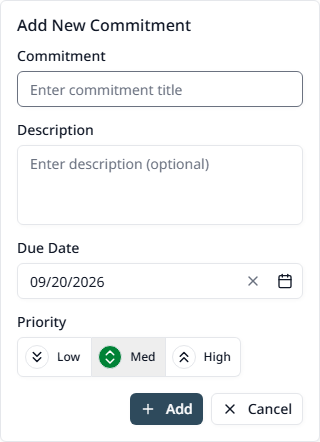
Open the person, find My Commitments, and press the + button.
The fields
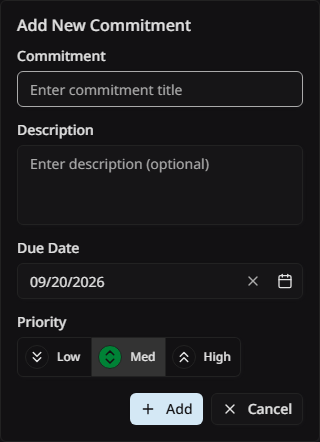
- Title — required, up to 120 characters. Start it with a verb.
- Description — the detail, up to 1,024 characters
- Due date — when it has to be done
- Priority — Low, Med, or High. Med is the default.
The three priorities
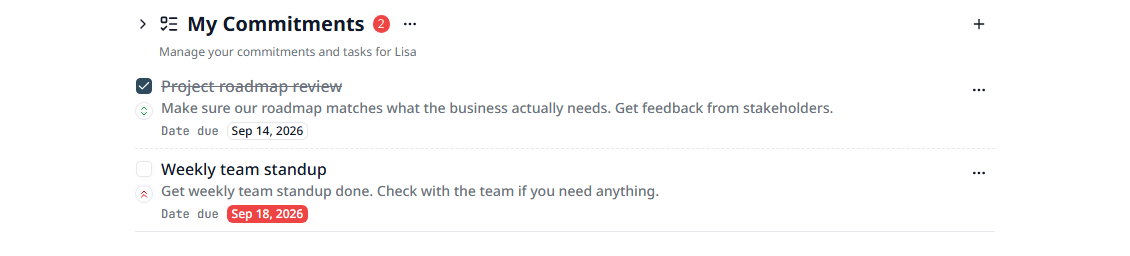
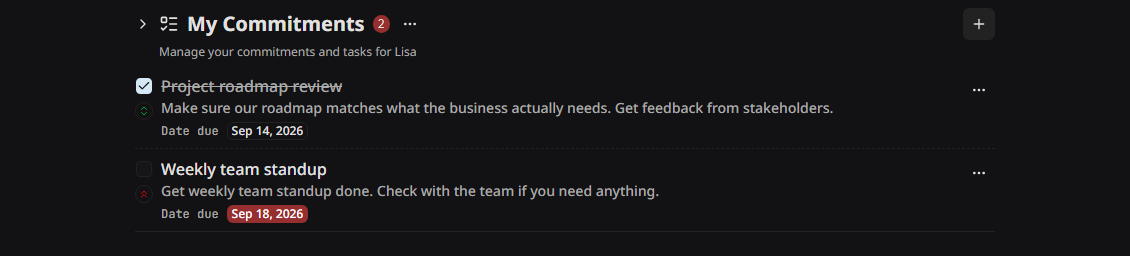
Each one has its own arrow icon, so you can read the priority of a row without opening it.
Work through the list
Due-date badges
Mark one done
Press the tick box on the left of the row. The item fades out, because completed items are hidden to begin with. Press it again to bring the item back.
Change or remove one
The three dots at the end of the row hold Edit and Delete. After a delete, a message offers to undo it, so a wrong press is easy to fix.
Show the completed ones
The three dots on the section heading turn completed items back on. The choice is kept for each person.
Change the order
The sort button on the section heading orders the list by due date, earliest first or latest first. Your browser remembers the choice.
Everything in one list
My Organizer puts every commitment from every person in a single list, and names the person beside each one. This is the list to work from at the start of the day.
The same page holds Personal Tasks: things you have to do that belong to no one else. They work the same way.
Tips
- • Write the commitment down while you are still writing the tagup. Later means never.
- • Mark a promise you made out loud as High. Those are the ones people remember.
- • Give every item a due date, even a rough one. An item with no date never gets picked up.
- • The Hub can create these for you. Tell it what you promised and confirm the card.