
Search
Global Search
One box that looks through everything you have written
Open it
Press Ctrl+K on Windows and Linux, or ⌘K on a Mac
Press the magnifying glass in the header
Press Escape to close it again.
Search by meaning
Search does not match your words letter by letter. It matches meaning. Ask for "who promised me an introduction" and it finds the right note, even though none of those words appear in it.
So write what you are looking for the way you would say it out loud. Short keywords work, but a phrase works better.
What it looks through
People
Names, job titles, organizations, tags, and notes
Tasks
Titles and descriptions of your commitments
Follow-ups
Titles and descriptions of your reminders
Tagups
Your notes and the text of every transcript
Conversations
Your past chats with the Conversation Hub
Read the results
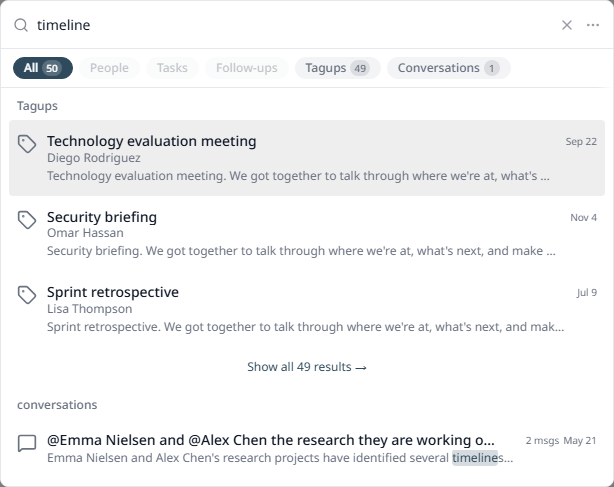
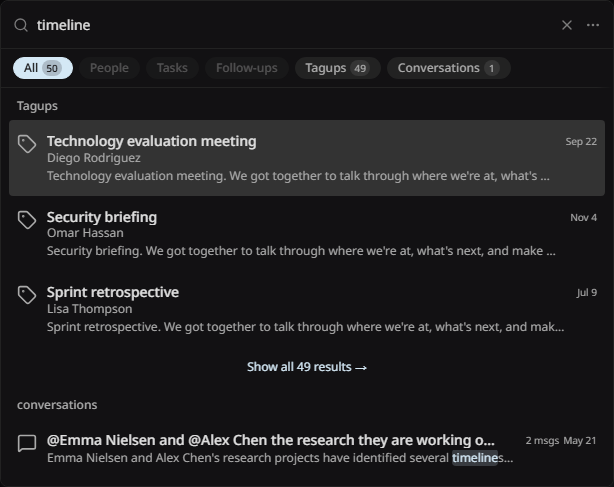
The chips at the top — All, People, Tasks, Follow-ups, Tagups, Conversations. Each one carries the number of matches, so you can see where your answer is before you press anything.
Each row — the title, the person it belongs to, the date, and a few lines of the matching text
Show all results — the link at the end of a group opens the full list for that type
Press a row — go straight to the record
Open the panel with the box empty and Tagup shows your recent searches. Press one to run it again.
Tips
- • Describe the thing, do not guess the words. "The contract we argued about" beats "contract".
- • Pick a chip when you know what kind of record you want. It cuts the noise in half.
- • Transcripts are searchable, so you can find who first raised a topic months ago.
- • Searching uses AI credits, in small amounts.